
CabMasterPro User Guide
In order to prepare DXF files from BiesseWorks or bSolid for EzyNest, you need to select Prepare for EzyNest from the right click menu of the imported DXF.
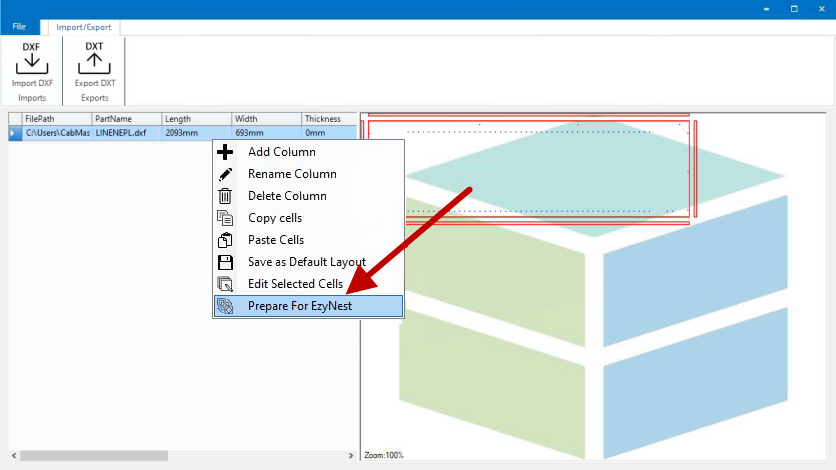
Once exported, you can import the DXT into EzyNest.
Once loaded into EzyNest, select the Map tab and click on the Use Parts button.
The loaded DXF's layers will be entered in the list.
Loaded DXF's
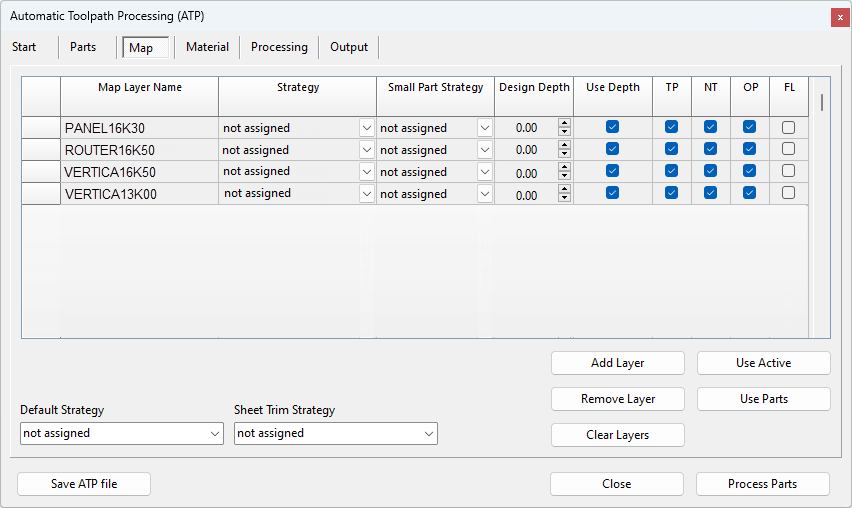
There are three (3) types of layers from BiesseWorks and bSolid...
Requires the use of Engrave Toolpaths as they already include the tool offset in the DXF.
Requires the use of Drill Centre toolpaths.
Panel layers are not used as they are the outline of the sheet to be machined. Leaving these on will result in bad nests.
