CabMasterPro User Guide
How to drag category tree into view
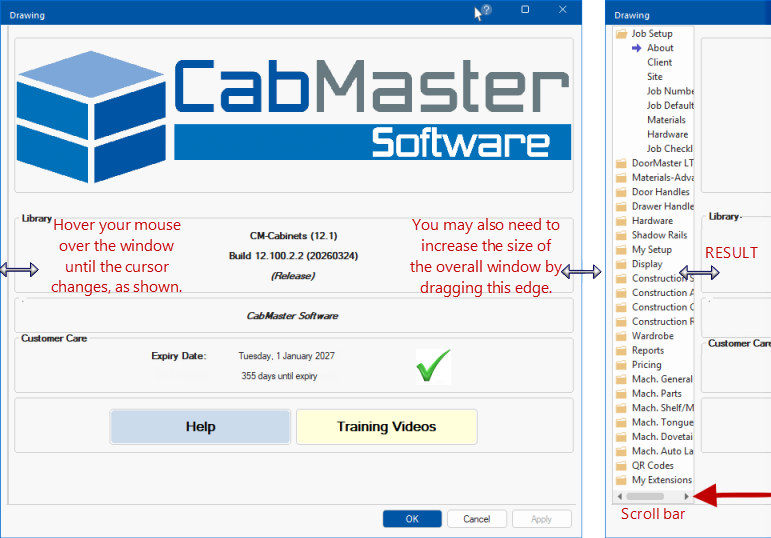
Sometimes the Category tree, as shown below left, is not presented to allow option selection.
If this is the case, then it is simply a matter of dragging the applicable area of the window to resize, as discussed in this topic.
Property Sheets are presented as Category trees with Category folders and options on related Pages.
The Category tree is only available if there is more than one category or page and is used to change between the different groups, categories and its' pages.

In this example the Drawing Properties have been opened but only a single page is displayed, without the category tree.
To fix...
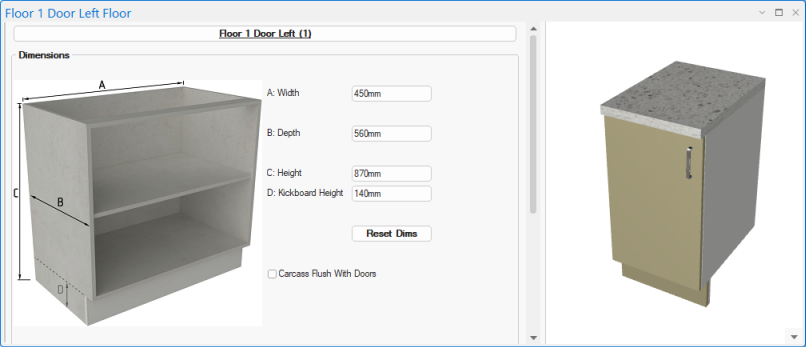
This can happen with any Property Sheet, even a cabinet. In this example, the category tree for a Floor cabinet is not showing.
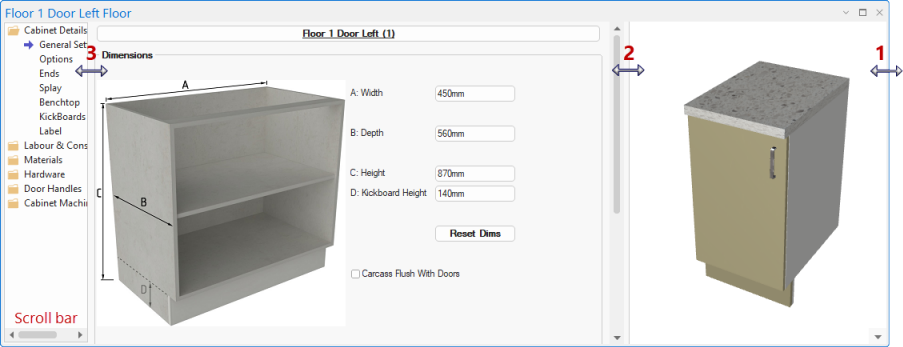
Again, it is just a matter of hovering over the required area to resize. Notice though that you may need to resize...
- the overall size of the window, first;
- then the preview pane;
- then the category tree.
Simply repeat this action until you are happy with the result.