CabMasterPro User Guide
Templates and hardware are available for download from our website.
Go to the Home tab and click on the StoreMaster command button, as shown.
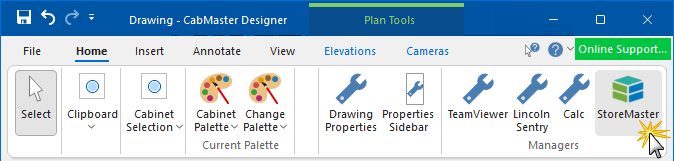
Using this option allows you to directly download addons from within CabMasterPro, instead of having to download through our website.
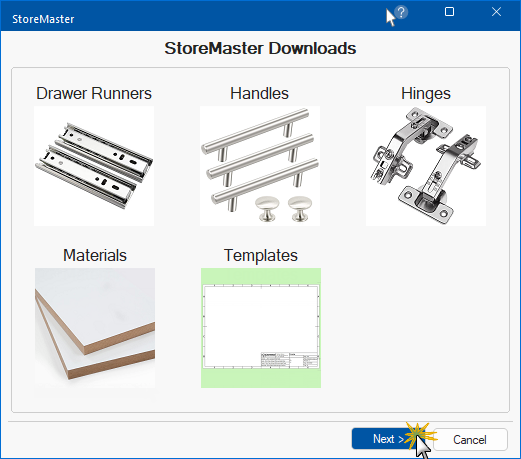
After clicking on the StoreMaster command button, you will also see available tables for download. Select the type of download required.
In this example, we have clicked on 'Templates'.
Clicking on any of these will turn the background of the image green, showing that is the option currently selected.
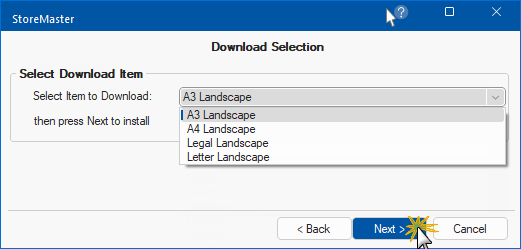
Once selected, press the Next button.
The next page will show you a list of all items that are available to download.
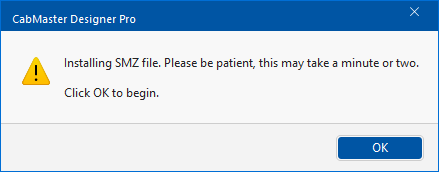
CabMasterPro will now install the files for you.
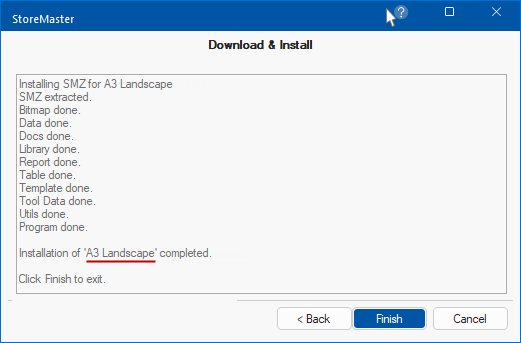
When complete, an informational dialog will confirm the completion status.
If there are any issues with the installation, it will advise you to contact CabMaster Support for assistance.